Measuring technician productivity turns gut feeling into repeatable decisions. This guide explains what technician productivity actually measures, why it matters to operations and finance, and how to use the Technician Productivity Calculator embedded on this page to get defensible KPIs in seconds.
Try the calculator now on this page (it’s quick) — or export the CSV and use the results in your weekly operations review.
At a glance:
- Set shift start and end times.
- Enter total break hours.
- Optionally input billable hours or a goal (%).
- Press Calculate.
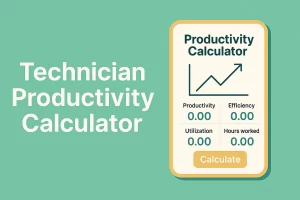
The tool returns either:
- Achieved productivity % (when billable hours are provided), or
- Required billable hours to meet a selected goal (if billable is left blank).
You can Copy Summary or Export CSV to save results.
What is Technician Productivity?
Technician productivity is the proportion of effective working time that is billable — the share of a technician’s available time that produces revenue or completed customer work.
Effective hours = scheduled time minus breaks.
It is best interpreted with two related metrics:
- Efficiency: share of hours worked that are billed.
- Utilization: share of scheduled availability that is billed.
These three metrics together provide a complete picture. Many teams confuse “hours worked” with productivity — that’s incomplete.
What the Technician Productivity Calculator Is?
The calculator converts simple inputs (shift times, breaks, billable hours, jobs, revenue or goal %) into five standardized KPIs.
It’s useful for:
- Technicians checking personal performance.
- Supervisors running quick audits.
- Analysts doing what-if scenarios or capacity planning.
It solves the problem of inconsistent manual math and ad-hoc reporting.
👉 If you need broader context, see the Multifactor Productivity Calculator or Labor Productivity Calculator.
How to Use the Calculator (Step-by-Step Guide)
▸- Shift start & end — enter clock times (HH:MM). Supports overnight shifts.
- Breaks (hours) — total breaks in decimal (e.g., 1.0, 0.5).
- Billable hours — optional. If entered, calculator shows achieved productivity.
- Goal (%) — if billable is blank, enter a target and it shows required billable hours.
- Buttons — Calculate, Reset, Copy Summary, Export CSV.
Example
Shift: 08:00–17:00, Breaks = 1.0 → Effective = 8.0 hrs
Billable = 6.0 hrs → Productivity = (6 ÷ 8) × 100 = 75%
If Billable is blank and Goal = 80%, required billable = 6.4 hrs.
Understanding the Formula Behind the Calculator
▸Formulas used:
- Total minutes = End − Start (if negative, add 24 hrs)
- Effective hours = (Total minutes ÷ 60) − Breaks
If Billable given:
Productivity % = (Billable ÷ Effective) × 100
If Goal given:
Required Billable = (Goal ÷ 100) × Effective
Examples:
Single worker:
08:00–17:00 → 9 hrs (540 min) − 1 hr break = 8 effective hrs
Billable = 6 hrs → Productivity = 75%
Team:
Effective = 320 hrs, Billable = 240 hrs → Productivity = 75%
Why Use This Calculator?
▸- Faster decisions: scenarios in minutes.
- Clear KPIs: productivity, efficiency, utilization.
- Better planning: when to hire or adjust schedules.
- ROI proof: validate training/tool investments.
- Standard reporting: exportable CSV.
Guessing “busy week” ≠ measuring a 5% gain — the latter is actionable.

How This Calculator Helps Productivity Growth
▸Use it in a cycle:
- Baseline — track weekly for 4 weeks.
- Experiment — change one thing (routing, training, checklist).
- Measure — compare before/after.
- Scale — roll out what works.
This method builds measurable, compounding improvements.
Expert Tips to Improve Technician Productivity
▸- Time-block by geography — reduce travel time.
- Pre-visit verification — confirm parts/access before jobs.
- Micro-training — 10–15 min refreshers reduce rework.
- Standard job categories — keep metrics comparable.
- Data-driven routing — prioritize jobs by predicted duration.
- Balanced incentives — reward quality + efficiency.
- Revenue/hr metric — use it to justify investments.
Frequently Asked Questions
▸Do I need billed hours to use this calculator?
No. If left blank, you can enter a goal percentage instead, and the calculator will show the required billable hours.
Can I use this calculator for a team instead of one technician?
Yes. Simply sum all effective hours and all billable hours for the group, then input those totals. The calculator will return the team productivity percentage.
How often should productivity be measured?
Weekly is best for operational reviews. Monthly shows trends, and quarterly reports support strategic planning.
Does this work for overnight shifts?
Yes. If the shift end time is earlier than the start time, the calculator automatically accounts for the overnight hours.
What is a healthy productivity target for technicians?
Many service teams aim for 70–80% productivity. However, benchmarks vary by industry. See resources from the
U.S. Bureau of Labor Statistics for sector-specific data.
Can I export the results?
Yes. You can copy the summary to your clipboard or download the results in CSV format for record-keeping or reporting.
Is this calculator official or certified?
No. It is an independent tool built for guidance. Always verify with your organization’s official KPIs or productivity tracking system before making critical decisions.
Where can I learn more about productivity measurement?
You can explore resources from the
International Labour Organization
and the Harvard Business Review for expert insights on workforce efficiency and global benchmarks.
Practical Examples & Interpretation
▸Example 1:
Shift: 07:30–16:30 (9 hrs), Breaks = 1.0 → Effective = 8 hrs
Billable = 5.6 hrs → Productivity = 70%
Revenue = $560 → Revenue/hr = $70/hr
Interpretation: acceptable, but efficiency may need review.
Example 2 (what-if):
Saving 0.5 non-billable hrs/day across 10 technicians adds 5 extra billable hrs/day → measurable productivity and revenue/hr gains.
Where This Sits in Your Toolkit
Pair this tool with others for a full view:
Explore the full suite here: Best Productivity Calculator
Conclusion
Consistent measurement wins. Use the Technician Productivity Calculator today, export results, and test one change for 30 days. Improvements compound, and with data you can prove ROI.Bookmark this page and use it in your next weekly review.